dnspyre
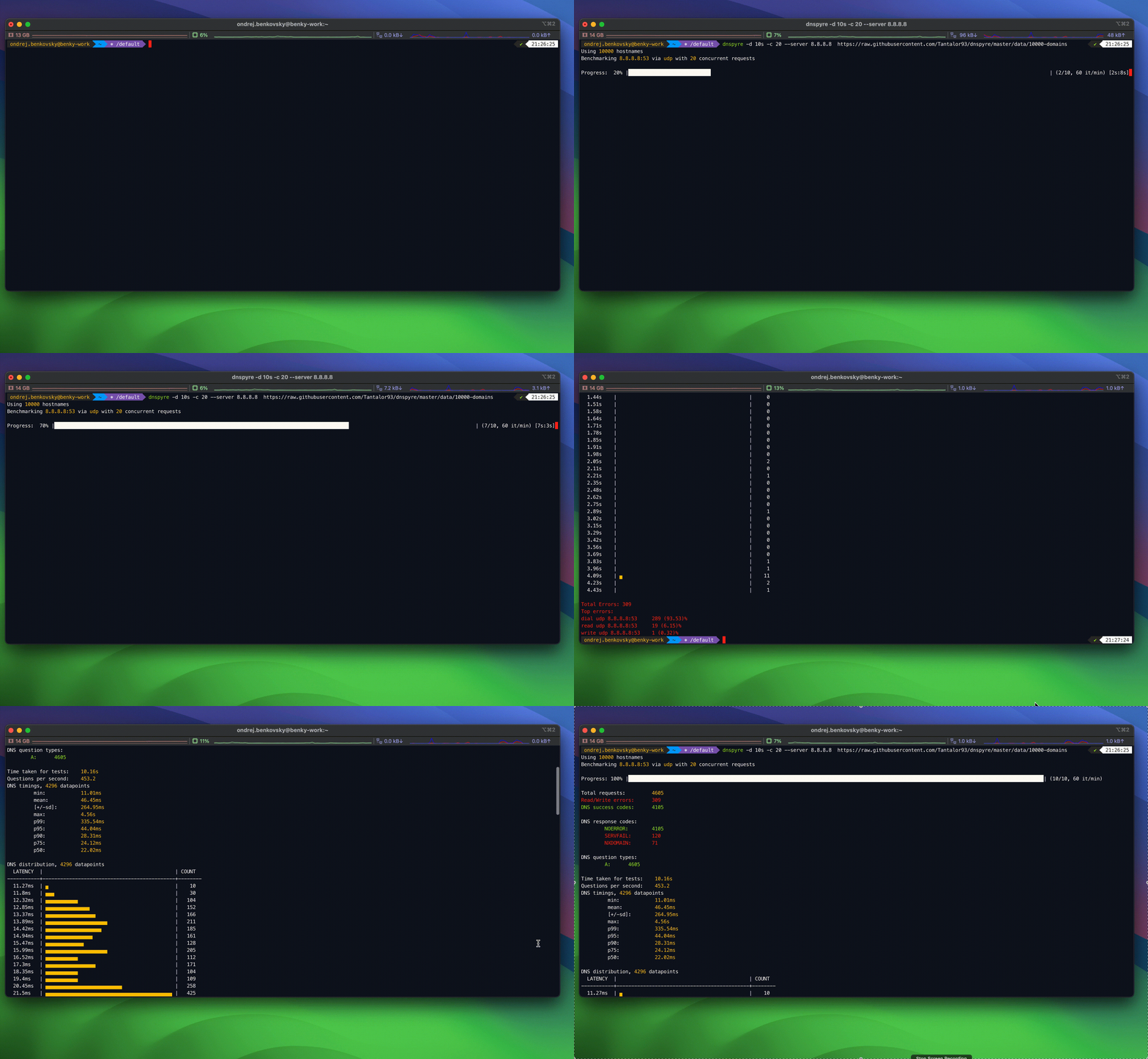
dnspyre is a command-line DNS benchmark tool built to stress test and measure the performance of DNS servers. You can easily run benchmark from MacOS, Linux or Windows systems. This tool is based and originally forked from dnstrace, but was largely rewritten and enhanced with additional functionality.
This tool supports wide variety of options to customize DNS benchmark and benchmark output. For example, you can:
- benchmark DNS servers using DNS queries over UDP or TCP, see plain DNS example
- benchmark DNS servers with all kinds of query types like A, AAAA, CNAME, HTTPS, … (
--typeoption) - benchmark DNS servers with a lot of parallel queries and connections (
--number,--concurrencyoptions) - benchmark DNS servers for a specified duration (
--durationoption) - benchmark DNS servers with DoT (DNS over TLS), see DoT example
- benchmark DNS servers using DoH (DNS over HTTPS), see DoH example
- benchmark DNS servers using DoQ (DNS over QUIC), see DoQ example
- benchmark DNS servers with uneven random load from provided high volume resources (see
--probabilityoption) - plot benchmark results via CLI histogram or plot the benchmark results as boxplot, histogram, line graphs and export them via all kind of image formats like png, svg and pdf. (see
--plotand--plotfoptions)
Usage
usage: dnspyre [<flags>] [<queries>...]

A high QPS DNS benchmark.


Flags:
      --[no-]help            Show context-sensitive help (also try --help-long
                             and --help-man).
  -s, --server=SERVER        Server represents (plain DNS, DoT, DoH or
                             DoQ) server, which will be benchmarked.
                             Format depends on the DNS protocol, that should
                             be used for DNS benchmark. For plain DNS (either
                             over UDP or TCP) the format is <IP/host>[:port],
                             if port is not provided then port 53 is used.
                             For DoT the format is <IP/host>[:port], if port
                             is not provided then port 853 is used. For DoH
                             the format is https://<IP/host>[:port][/path]
                             or http://<IP/host>[:port][/path], if port is
                             not provided then either 443 or 80 port is used.
                             If no path is provided, then /dns-query is used.
                             For DoQ the format is quic://<IP/host>[:port],
                             if port is not provided then port 853 is used.
                             If no server is provided, then system resolver is
                             used or 127.0.0.1
  -t, --type=A ...           Query type. Repeatable flag. If multiple query
                             types are specified then each query will be
                             duplicated for each type.
  -n, --number=NUMBER        How many times the provided queries are repeated.
                             Note that the total number of queries issued =
                             types*number*concurrency*len(queries).
  -c, --concurrency=1        Number of concurrent queries to issue.
  -l, --rate-limit=0         Apply a global questions / second rate limit.
      --rate-limit-worker=0  Apply a questions / second rate limit for each
                             concurrent worker specified by --concurrency
                             option.
      --query-per-conn=0     Queries on a connection before creating a new one.
                             0: unlimited. Applicable for plain DNS and DoT,
                             this option is not considered for DoH or DoQ.
  -r, --[no-]recurse         Allow DNS recursion. Enabled by default.
      --probability=1.0      Each provided hostname will be used with provided
                             probability. Value 1 and above means that each
                             hostname will be used by each concurrent benchmark
                             goroutine. Useful for randomizing queries across
                             benchmark goroutines.
      --ednsopt=EDNSOPT      code[:value], Specify EDNS option with code
                             point code and optionally payload of value as a
                             hexadecimal string. code must be an arbitrary
                             numeric value.
      --ecs=ECS              Specify EDNS Client Subnet option in CIDR notation
                             (e.g., '192.0.2.0/24' or '2001:db8::/32'). This is
                             a more user-friendly alternative to --ednsopt for
                             specifying ECS.
      --[no-]cookie          Enable DNS cookies (RFC 7873). When enabled,
                             an 8-byte client cookie is automatically added to
                             each DNS request together with server cookie if
                             available.
      --[no-]dnssec          Allow DNSSEC (sets DO bit for all DNS requests to
                             1)
      --edns0=0              Configures EDNS0 usage in DNS requests send by
                             benchmark and configures EDNS0 buffer size to the
                             specified value. When 0 is configured, then EDNS0
                             is not used.
      --[no-]tcp             Use TCP for DNS requests.
      --[no-]dot             Use DoT (DNS over TLS) for DNS requests.
      --write=1s             write timeout.
      --read=3s              read timeout.
      --connect=1s           connect timeout.
      --request=5s           request timeout.
      --[no-]codes           Enable counting DNS return codes. Enabled by
                             default.
      --min=0ms              Minimum value for timing histogram.
      --max=5s               Maximum value for timing histogram.
      --precision=1          Significant figure for histogram precision.
      --[no-]distribution    Display distribution histogram of timings to
                             stdout. Enabled by default.
      --csv=PATH_TO_FILE     Export distribution to CSV.
      --[no-]json            Report benchmark results as JSON.
      --[no-]silent          Disable stdout.
      --[no-]color           ANSI Color output. Enabled by default.
      --plot=PATH_TO_FOLDER  Plot benchmark results and export them to the
                             directory.
      --plotf=svg            Format of graphs. Supported formats: svg, png and
                             jpg.
      --doh-method=post      HTTP method to use for DoH requests. Supported
                             values: get, post.
      --doh-protocol=1.1     HTTP protocol to use for DoH requests. Supported
                             values: 1.1, 2 and 3.
      --[no-]insecure        Disables server TLS certificate validation.
                             Applicable for DoT, DoH and DoQ.
  -d, --duration=DURATION    Specifies for how long the benchmark should be
                             executing, the benchmark will run for the specified
                             time while sending DNS requests in an infinite
                             loop based on the data source. After running for
                             the specified duration, the benchmark is canceled.
                             This option is exclusive with --number option. The
                             duration is specified in GO duration format e.g.
                             10s, 15m, 1h.
      --[no-]progress        Controls whether the progress bar is shown. Enabled
                             by default.
      --fail=CONDITION ...   Controls conditions upon which the dnspyre will
                             exit with a non-zero exit code. Repeatable flag.
                             Supported options are 'ioerror' (fail if there
                             is at least 1 IO error), 'negative' (fail if
                             there is at least 1 negative DNS answer), 'error'
                             (fail if there is at least 1 error DNS response),
                             'idmismatch' (fail there is at least 1 ID mismatch
                             between DNS request and response).
      --[no-]log-requests    Controls whether the Benchmark requests are logged.
                             Requests are logged into the file specified by
                             --log-requests-path flag. Disabled by default.
      --log-requests-path="requests.log"
                             Specifies path to the file, where the request
                             logs will be logged. If the file exists, the logs
                             will be appended to the file. If the file does not
                             exist, the file will be created.
      --[no-]separate-worker-connections
                             Controls whether the concurrent workers will try
                             to share connections to the server or not. When
                             enabled the workers will use separate connections.
                             Disabled by default.
      --request-delay="0s"   Configures delay to be added before each request
                             done by worker. Delay can be either constant or
                             randomized. Constant delay is configured as single
                             duration <GO duration> (e.g. 500ms, 2s, etc.).
                             Randomized delay is configured as interval of two
                             durations <GO duration>-<GO duration> (e.g. 1s-2s,
                             500ms-2s, etc.), where the actual delay is random
                             value from the interval that is randomized after
                             each request.
      --prometheus=ADDRESS   Enables Prometheus metrics endpoint on the
                             specified address. For example :8080 or
                             localhost:8080. The endpoint is available at
                             /metrics path.
      --[no-]version         Show application version.

Args:
  [<queries>]  Queries to issue. It can be a local file referenced
               using @<file-path>, for example @data/2-domains.
               It can also be resource accessible using HTTP, like
               https://raw.githubusercontent.com/Tantalor93/dnspyre/master/data/1000-domains,
               in that case, the file will be downloaded and saved
               in-memory. These data sources can be combined,
               for example "google.com @data/2-domains
               https://raw.githubusercontent.com/Tantalor93/dnspyre/master/data/2-domains".
               If not provided, default list of domains will be used.